
A speed profile is a download or upload limit with a name, which you give to ONUs. SmartOLT keeps the list of speed profiles and creates a matching profile on each OLT. So you define each speed only once, and then you select it when you authorize an ONU or change its speed.
1Open the list
Go to Settings → Speed profiles. The page has two tabs, Download and Upload, and each tab lists the profiles for one direction.
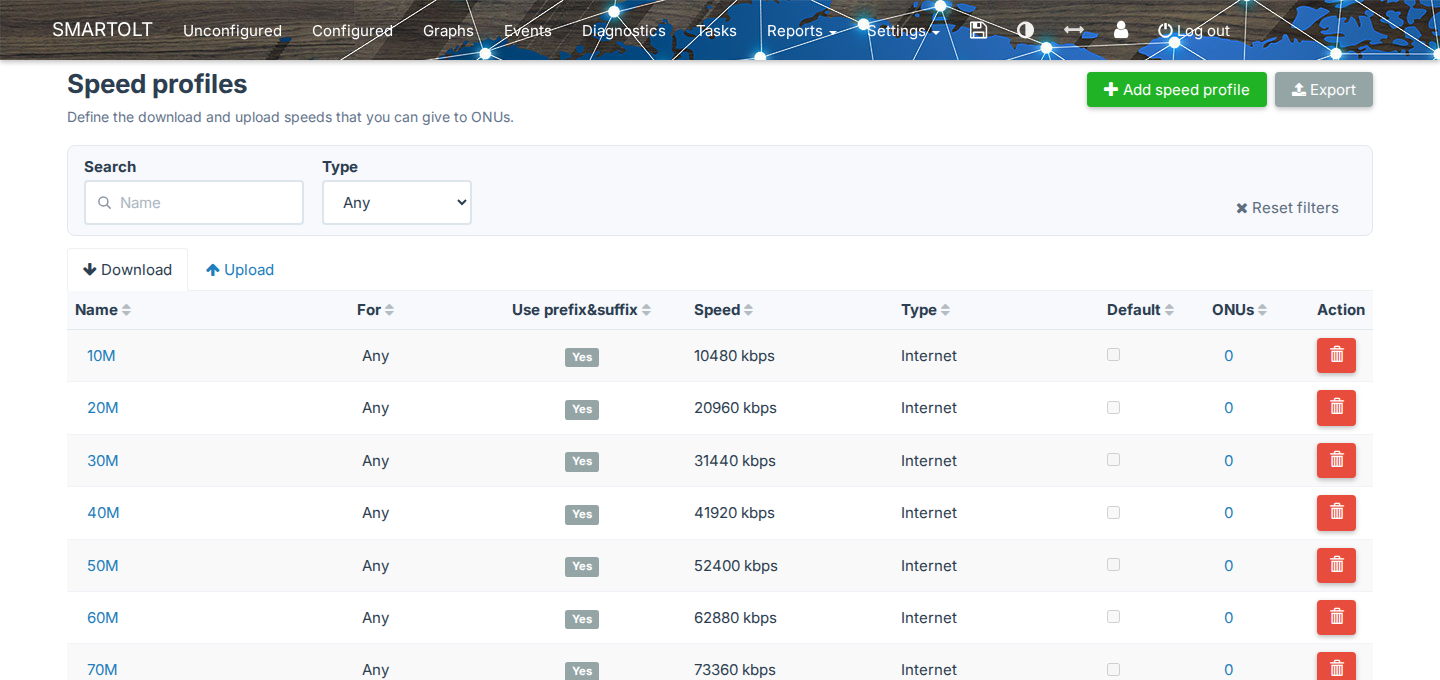
| Column | What it shows |
|---|---|
| Name | The name of the profile. Click it to edit the profile. |
| For | The PON types that can use this speed. Any means every PON type, and XG, XGS and XGE mean XG-PON, XGS-PON and 10G-EPON. |
| Use prefix&suffix | Yes when SmartOLT adds the SMARTOLT- prefix and the -UP or -DOWN suffix to the name on the OLT. |
| Speed | The speed in kbps. |
| Type | Internet or IPTV. |
| Default | Checked for the profile that the authorization form selects first. |
| ONUs | How many ONUs use the profile. Click the number to see them in the Configured list. |
| Action | The delete button. |
The value in the For column depends on the speed:
| Direction | Speed | For |
|---|---|---|
| Download | up to 2488000 kbps | Any |
| Download | above 2488000 kbps | XG/XGS/XGE |
| Upload | up to 1244000 kbps | Any |
| Upload | above 1244000 kbps, up to 2488000 kbps | XG/XGS/XGE |
| Upload | above 2488000 kbps | XGS/XGE |
To find a profile by name, use Search, and to show only Internet or IPTV profiles, use Type. Reset filters clears both, and Export downloads the list as a CSV file.
To see this page, you need the right to view speed profiles. To add, edit or delete speed profiles, you also need the right to manage them.
2Add a speed profile
- Open the Download or the Upload tab.
- Click Add speed profile.
- Fill in the form, as the table below explains.
- Click Save.
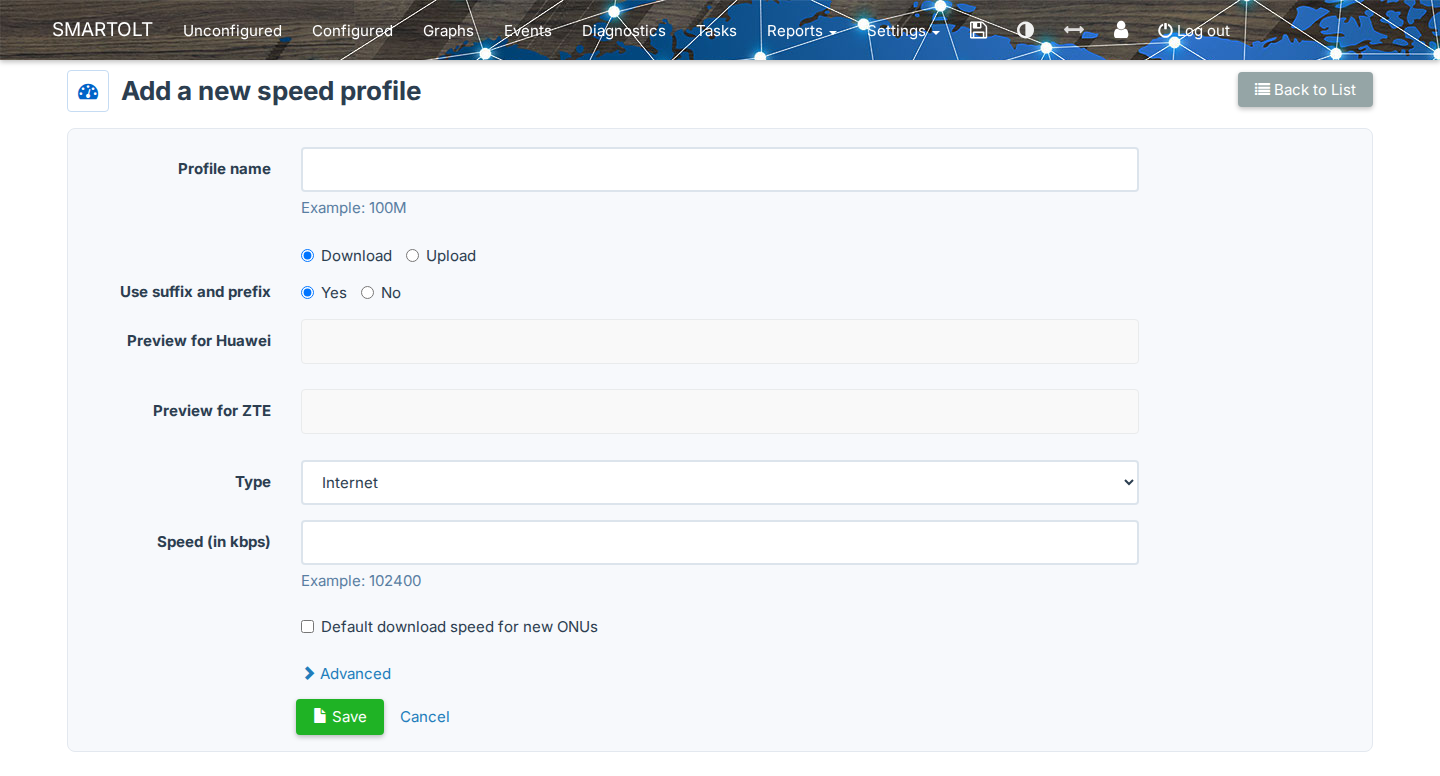
| Field | What to set |
|---|---|
| Profile name | A short name, for example 100M. You can use letters, digits, dash, underscore, space, period, forward slash or colon, but not the + character. |
| Download, Upload | The direction of the profile. The form selects the tab that you came from. |
| Use suffix and prefix | With Yes, the name on the OLT becomes SMARTOLT-<name>-DOWN or SMARTOLT-<name>-UP. With No, the name on the OLT is the profile name. |
| Preview for Huawei, Preview for ZTE | The exact name that SmartOLT creates on the OLTs of each vendor. |
| Type | Internet for the customer data service, or IPTV for the IPTV service. |
| Speed (in kbps) | The speed limit, for example 102400 for 100 Mbps. |
| Default download speed for new ONUs or Default upload speed for new ONUs | The authorization form selects this profile first. |
The profile name must be unique among the profiles with the same direction, type and Use suffix and prefix value.
Name on the OLT
The OLT accepts profile names of up to 32 characters. When Use suffix and prefix is Yes, the prefix and the suffix use part of this length, so the form makes the Profile name field shorter to fit.
| Type | Direction | Name on the OLT for 100M |
|---|---|---|
| Internet | Download | SMARTOLT-100M-DOWN |
| Internet | Upload | SMARTOLT-100M-UP |
| IPTV | Download | SMARTOLT-IPTV-100M-DOWN |
| IPTV | Upload | SMARTOLT-IPTV-100M-UP |
How SmartOLT writes a space in the profile name depends on Use suffix and prefix and on the OLT vendor:
| Use suffix and prefix | Huawei | ZTE |
|---|---|---|
| Yes | The space becomes an underscore, for example SMARTOLT-100M_FTTH-DOWN. |
The space becomes an underscore, for example SMARTOLT-100M_FTTH-DOWN. |
| No | The name stays exactly as you entered it, with the space, for example 100M FTTH. |
The space becomes an underscore, for example 100M_FTTH, because ZTE OLTs do not accept spaces. |
Use Yes for new profiles, because the SMARTOLT- prefix shows on the OLT which profiles SmartOLT manages.
Use No when a profile with that exact name already exists on your OLTs and you want SmartOLT to use it.
Speed limits
| Direction | Minimum | Maximum |
|---|---|---|
| Download | 128 kbps | 9953280 kbps |
| Upload | 64 kbps | 9953280 kbps |
When SmartOLT sends the speed to the OLT, it rounds the speed up to the next multiple of 256 kbps. For example, 100000 becomes 100096 on the OLT, but the list still shows the value that you typed.
Burst settings
To see the burst settings, click Advanced. Most networks keep the default values.
| Field | What it does |
|---|---|
| CBS - committed burst (in ms) | How many milliseconds of traffic the OLT absorbs before it drops packets. The default is 100. |
| PBS - peak burst (in ms) | How many milliseconds of traffic the OLT accepts above the committed burst. The default is 100. |
Both values must be between 10 and 200 ms. Each OLT family converts the value to its own unit, and below the fields, the form shows the result for ZTE C6xx, ZTE C3xx and Huawei OLTs. The burst settings apply only to GPON profiles, and EPON ignores them.
What happens on Save
SmartOLT saves the profile and sends it to every OLT in your account, but it does not wait for the OLTs to answer.
If an OLT does not have the profile when SmartOLT needs it, SmartOLT creates it at that moment. For example, when you authorize an ONU and the OLT reports a missing speed profile, SmartOLT creates the profile and tries again.
3Edit a speed profile
- Click the name of the profile in the list.
- Change the Speed (in kbps), the default checkbox or the burst settings.
- Click Save.
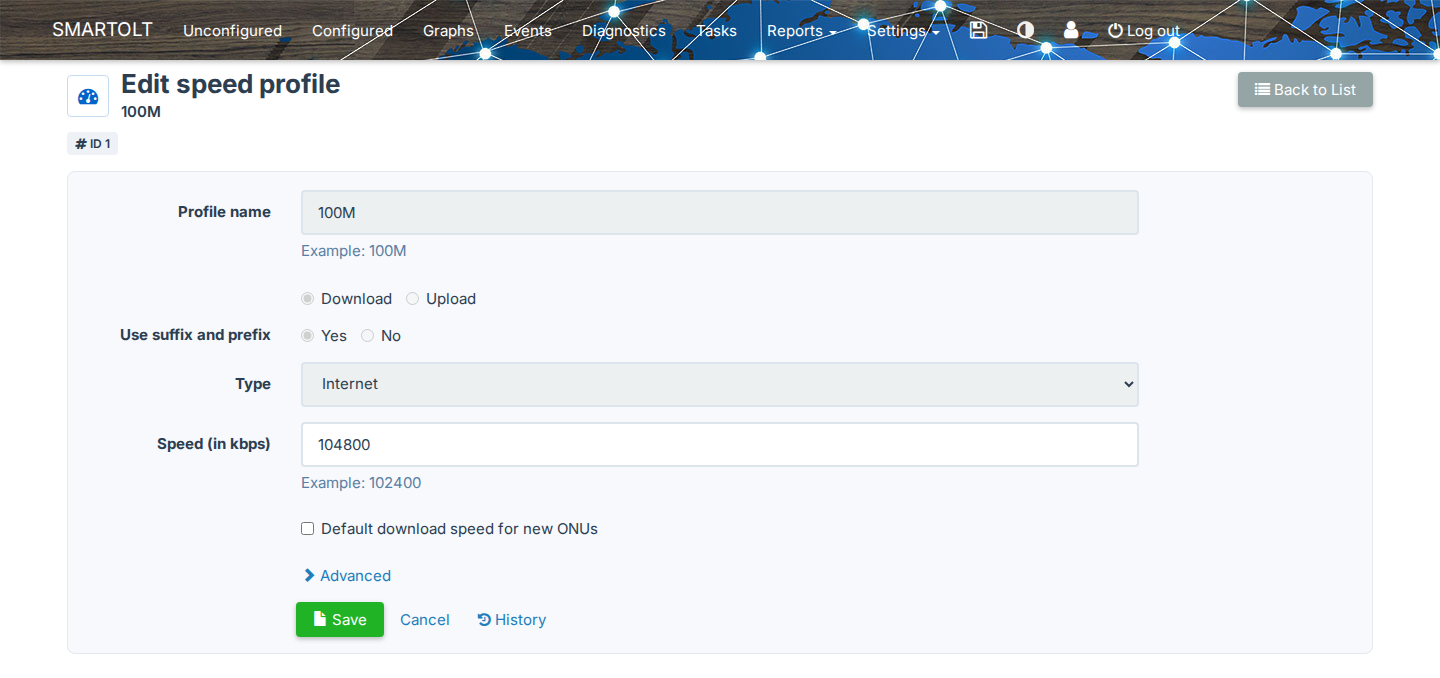
You cannot change the Profile name, the direction, the Type or Use suffix and prefix. If you need to change them, add a new profile and move the ONUs to it.
When you change the speed or the burst settings, SmartOLT updates the profile on every OLT that answers. Because the ONUs keep the same profile name on the OLT, the new speed applies to every ONU that uses the profile. If the profile is missing on an OLT, SmartOLT creates it.
To see who changed the profile and what changed, click History on the edit page.
A speed change on a profile affects every ONU that uses the profile, on all OLTs. So before you change a profile that is in use, check the ONUs column in the list.
4Delete a speed profile
- Click the delete button on the row of the profile.
- Check the details on Delete speed profile.
- Click Delete.
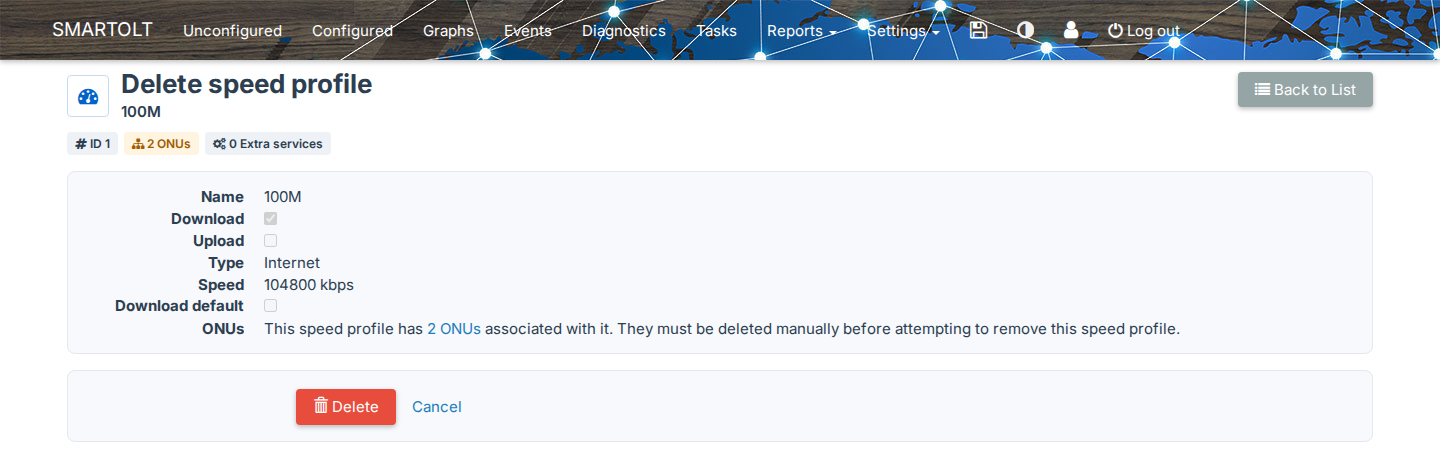
SmartOLT deletes a profile only when no ONU and no extra service uses it. If ONUs use it, the page shows how many ONUs and links to them. In this case, first change the speed of those ONUs to another profile, and then delete the profile.
When you delete a profile, SmartOLT also removes it from every OLT in your account.
5Use a speed profile
You select speed profiles in these places:
| Where | Field |
|---|---|
| Authorization form, see Authorize an ONU | Download speed, Upload speed. The default profiles are selected first. |
| ONU page, Speed profiles section, Configure, see Manage an authorized ONU | Download speed, Upload speed |
| Batch actions, Update ONUs Speed Profiles | Download, Upload |
| Batch actions, Change ONUs IPTV service | The IPTV speed profiles |
| Authorization presets and auto-authorization | Download, Upload |
The Download speed and Upload speed lists show only Internet profiles, and IPTV profiles appear only where you set the IPTV service.
On the ONU page, Unlimited means that the ONU has no speed profile. In this case, SmartOLT uses the profiles SMARTOLT-1G-DOWN and SMARTOLT-1G-UP on the OLT.
Vendor differences
SmartOLT creates different objects on the OLTs of each vendor.
| OLT | Download profile | Upload profile |
|---|---|---|
| Huawei | IP traffic table | IP traffic table |
| ZTE C3xx | GPON traffic profile | T-CONT profile |
| ZTE C6xx | traffic-profile | T-CONT profile and traffic-profile with the same -UP name |
On ZTE C3xx OLTs, EPON ONUs do not use named profiles. Instead, SmartOLT sends the speed value directly and limits it to 1000000 kbps, except on 10G-EPON.